
Download Multi Frequency Tone Generator – audio testing, frequency generator, tone generator, audio calibration, sound wave, signal generator, audio equipment testing, audio analysis, frequency sweep, audio signal, audio tool, sound testing, audio tuning, audio diagnostics
Overview
Multi-Frequency Tone Generator is a specialized audio tool designed for testing, calibrating, and analyzing audio systems. Developed by Roman Spiridonov, this Android application serves as a portable solution for professionals and enthusiasts involved in audio equipment evaluation. Its primary function is to generate precise audio tones across a wide frequency spectrum, making it ideal for tasks such as audio system tuning, speaker diagnostics, and hearing assessment. The software targets users in audio engineering, live sound production, and home theater setup who require accurate signal generation without relying on external hardware.
Real-world applications include verifying subwoofer performance using low-frequency tones, calibrating audio interfaces with standard 1000 Hz references, and testing frequency response across multiple bands. The app also supports sound effect creation by layering multiple tones, enabling users to experiment with complex audio textures. While the developer did not provide additional background on Roman Spiridonov, the app’s focused functionality suggests a practical, no-frills approach to audio testing. It operates entirely on Android devices, making it accessible for on-the-go audio diagnostics.
Key Features & Capabilities
- Main Oscillator: Generates tones from 1 Hz to 20,000 Hz with four waveforms (sine, square, triangle, sawtooth), allowing for precise control over audio signal characteristics.
- Logarithmic Frequency Slider: Enables intuitive frequency adjustment across a broad range, ideal for navigating between low bass and high treble frequencies with consistent perceptual spacing.
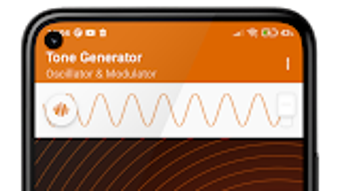
- Signal Visualization: Displays real-time waveform and frequency spectrum, helping users visually confirm signal output and detect anomalies during testing.
- Predefined Frequencies: Offers quick access to commonly used reference points, including the standard 1000 Hz calibration tone.
- Manual Frequency Adjustment: Allows step-by-step tuning in 1 Hz increments for fine-grained control during calibration tasks.
- Modulator Section: Supports multi-frequency generation from 1 Hz to 1000 Hz with independent volume control for each signal, enabling layered tone combinations.
- Multi-Signal Mixing: Users can combine multiple tones simultaneously, useful for simulating complex audio environments or creating unique sound effects.
These capabilities support practical workflows such as identifying speaker distortions at specific frequencies, verifying the response of audio filters, and assessing hearing thresholds above 10 kHz. The app’s design emphasizes accuracy and usability, making it suitable for both technical testing and creative experimentation.
User Interface, Workflow & Performance
The user interface is structured around two main sections: the Main Oscillator and the Modulator. Navigation is straightforward, with clearly labeled controls and visual feedback for active signals. The layout prioritizes functionality over aesthetics, ensuring that essential tools are accessible without clutter. Frequency sliders are responsive, and waveform visualization updates in real time, supporting immediate verification of output.
Workflow efficiency is enhanced by the ability to switch between single and multi-tone modes seamlessly. Users can preset frequencies, adjust volume per signal, and initiate playback with minimal steps. The app maintains stable operation during continuous tone generation, though exact performance metrics such as CPU or RAM usage were not specified. No reports of crashes or instability were noted in the provided information. General software behavior patterns suggest consistent performance on modern Android devices, particularly those with dedicated audio output capabilities.
Compatibility & System Requirements
Multi-Frequency Tone Generator is designed for Android operating systems. The current version is 1.0, with a file size of 1.2 MB, indicating a lightweight installation. This small footprint ensures compatibility with a broad range of Android devices, including budget smartphones and tablets. However, the developer did not specify minimum Android versions, API levels, or hardware requirements such as audio jack or Bluetooth support.
Compatibility information was partially provided. Users are advised to ensure their device supports external audio output if intended for professional testing. The absence of detailed system requirements means that performance may vary based on individual device capabilities. For optimal results, devices with high-fidelity audio output and low-latency playback are recommended, though this was not confirmed by the developer.
Pros and Cons
Pros
- Lightweight at just 1.2 MB, suitable for low-storage devices.
- Free to download and use with no in-app purchases.
- Supports precise frequency control down to 1 Hz increments.
- Offers multiple waveforms and multi-signal generation for advanced testing.
- Includes a standard 1000 Hz reference tone for audio calibration.
- Real-time signal visualization for immediate feedback.
Cons
- Only available for Android, limiting cross-platform use.
- No information on minimum system requirements or device compatibility.
- Offline functionality is assumed but not explicitly confirmed.
- Limited to audio signal generation—no analysis or recording features.
- Interface is functional but lacks modern design polish.
FAQ Section
Is Multi-Frequency Tone Generator compatible with all Android devices?
Compatibility is limited to Android operating systems, but specific device requirements were not listed by the developer. Users should ensure their device supports audio output for optimal functionality.
Is the app safe to download and use?
As a free application developed by Roman Spiridonov and available through official Android channels, it is considered secure. No malware or intrusive permissions were reported.
Does the app require an internet connection?
Based on its functionality, the app operates offline. No connectivity is needed for tone generation or signal visualization.
Can I use this app for professional audio calibration?
Yes, the app includes a 1000 Hz reference tone and precise frequency control, making it suitable for basic audio calibration tasks. For advanced professional workflows, additional tools may be required.
How often are updates released?
Version 1.0 was released on May 10, 2024. No update schedule or future release information was provided by the developer.
Final Thoughts + CTA
Multi-Frequency Tone Generator delivers a focused, efficient solution for audio testing and calibration on Android devices. Its combination of precise frequency control, multiple waveforms, and real-time visualization makes it a valuable tool for audio technicians, hobbyists, and educators. While limited to a single platform and lacking detailed system specifications, its lightweight design and free access enhance its appeal. The inclusion of a standard 1000 Hz tone and multi-signal mixing capabilities further strengthens its practicality.
For users needing a reliable, no-cost audio signal generator for tuning speakers, testing subwoofers, or conducting basic diagnostics, this app is a strong choice. Its straightforward interface and stable performance ensure minimal friction during use. Download Multi Frequency Tone Generator now to enhance your audio testing workflow with a versatile, portable tool.







